Action Performer Midi Multitool
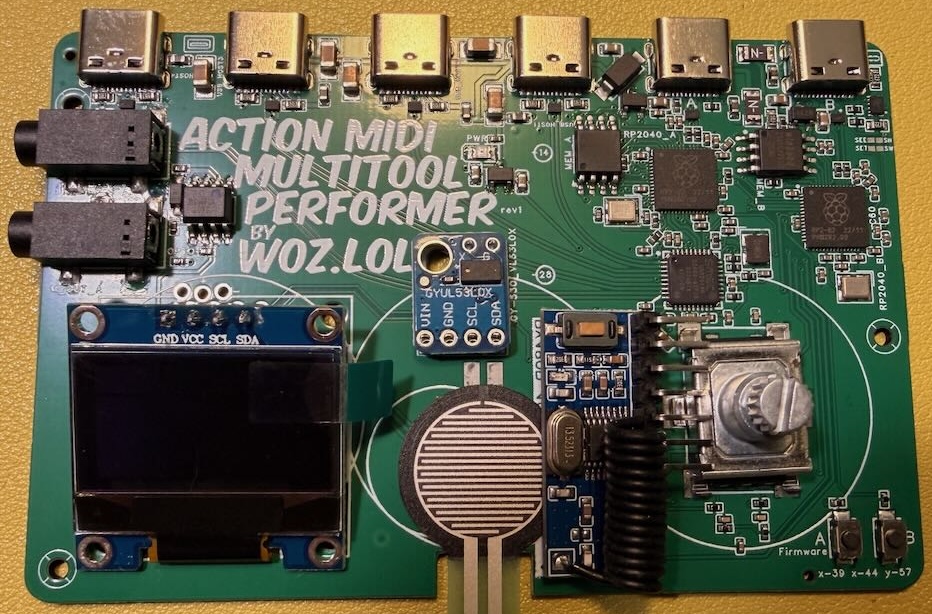
This is the PCB version of the open ARP’n’MIDI Multitool project. It includes a built-in USB hub, a touch-pressure sensor, a distance sensor for triggering by waving your hand over it, and Bluetooth action. Also, the firmware can do every hip midi trick, and then some, into the future.
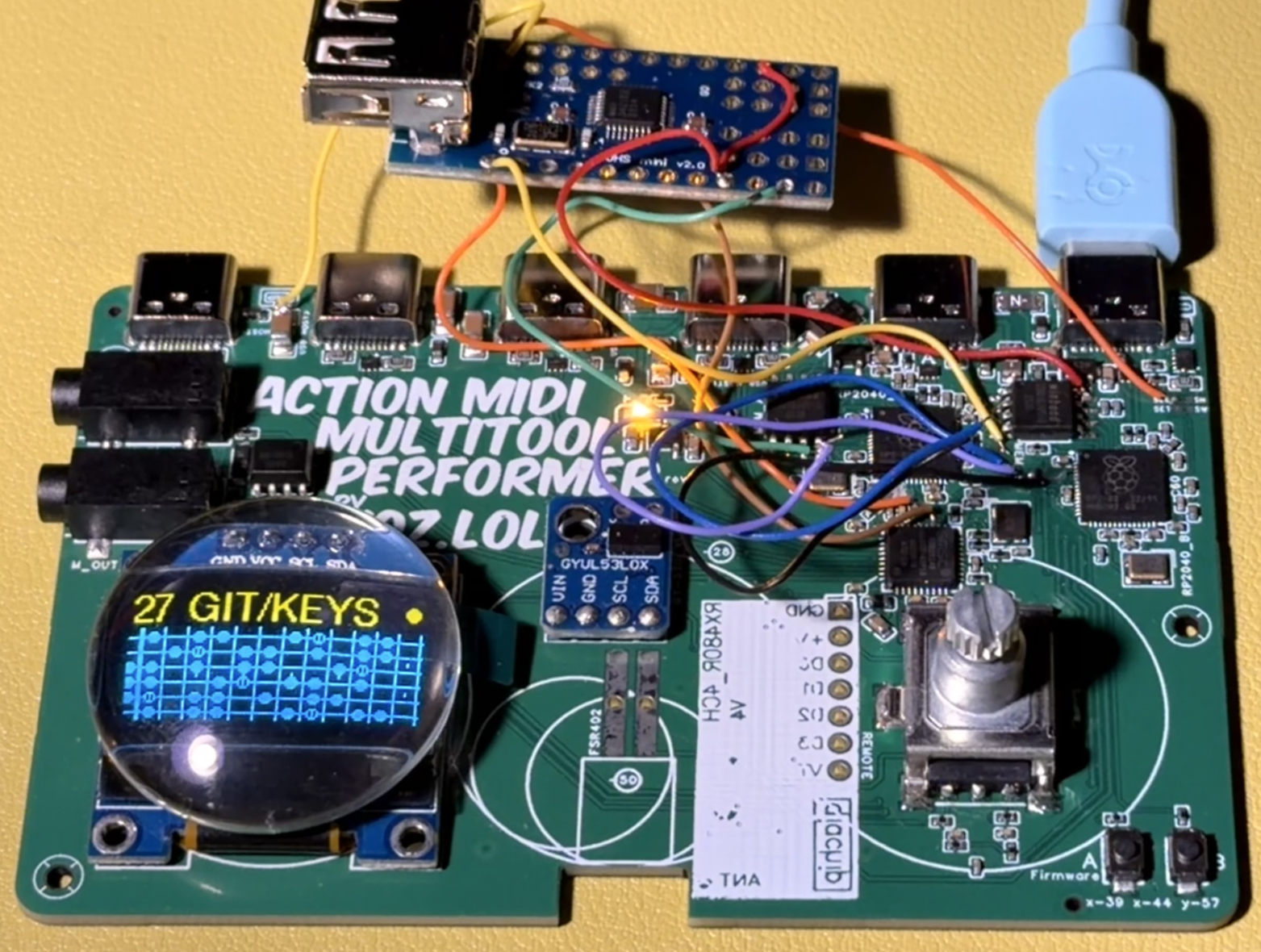
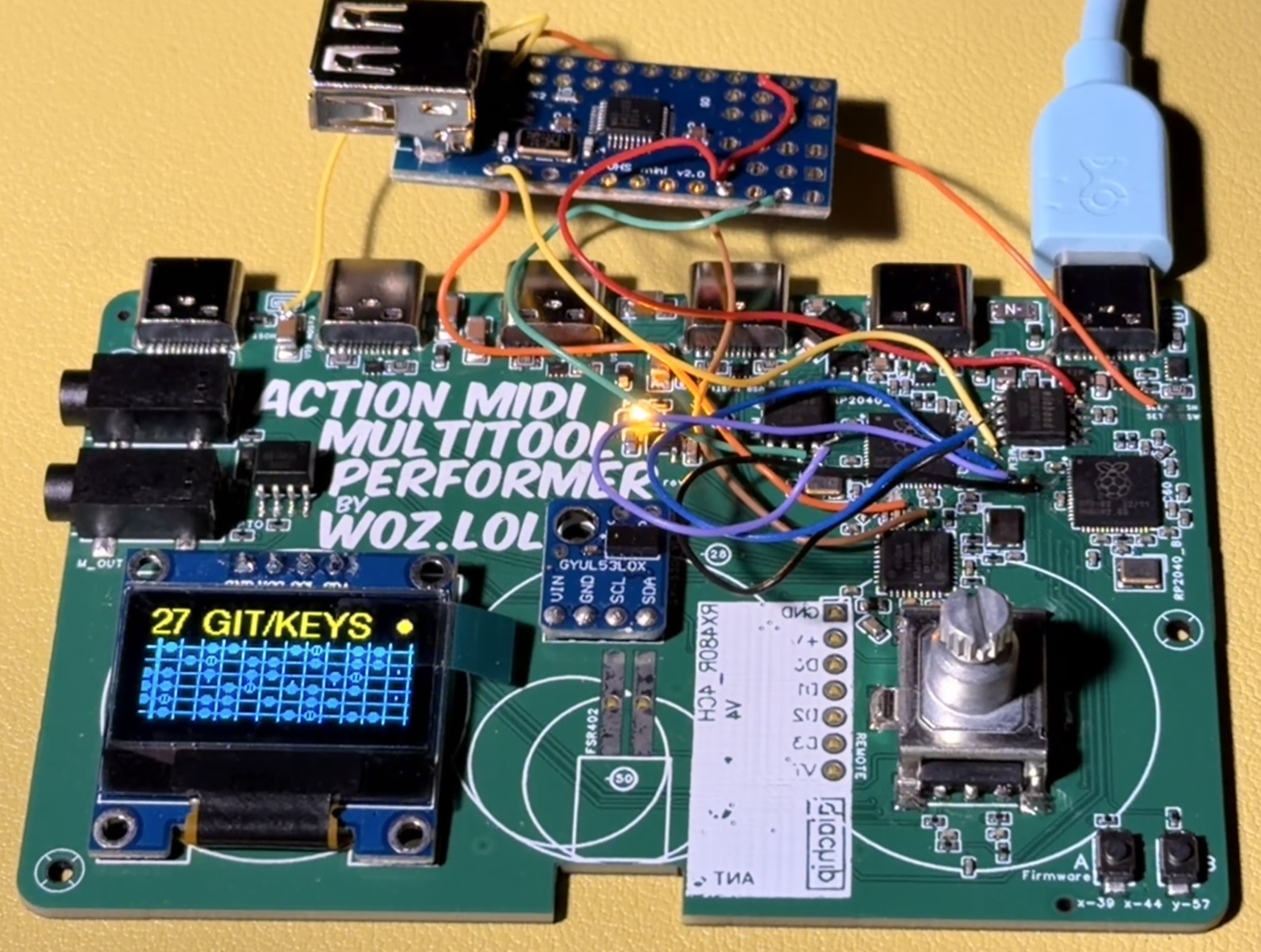
Finally I can show you what the glass cabochon lens will look like over the OLED display. This will be nestled in the enclosure.

: :
Finally all your usb midi stuff can talk through this smart router thing without a computer.
Effortless live arps and time-locked loops by waving your hand.
- 4-Track Looper with auto-start, multiple length layers, time machine mode and more!
- Stutter and Echo effects, and because its MIDI data, you can mess with the instrument while it’s being fed these loops and repeats, rather than freezing the final sound in an audio loop.
- Independant arpeggio and beat-repeat engines with their own quick beat division changes via CC for easy trap hats.
- Touch and distance expression controllers
- Auto retrigger makes samplers play your last held note for analog-synth-like glissando leads
- Round-Robin mode gives polyphony to mono instruments
- Per-note parameter locks, like Aphex Twin’s AFX Mode, let each note store and send its own set of CC knob values.
- Force-in-key & screens to show fretboard notes to play along
- Channel routing and CC control
Plus it boots nearly instantly!
Human Interfaces:
- DISPLAY :: Crisp standard 2-color 24mm OLED display behind a 30mm glass Cabochon semi-domed magnifying lens.
- KNOB :: Satisfying Bourns continuous detented rotary encoder for speed and precision.
- EXPRESSION :: Touch force pressure sensor with unique analog filter circuit to add a human feel to any midi parameter. Perfect for moody pitch bends!
- EYE :: Don’t hunt for a button or knob, just wave your hand over it. Unique laser time-of-flight distance sensor works like a theremin (that you can auto-transpose to scales!), or a hand-position midi controller. You can even use it to trigger the looper.
- 4 Multifunction Buttons :: For managing the 4-track looper, mapping to features or MIDI commands.
Device Interfaces:
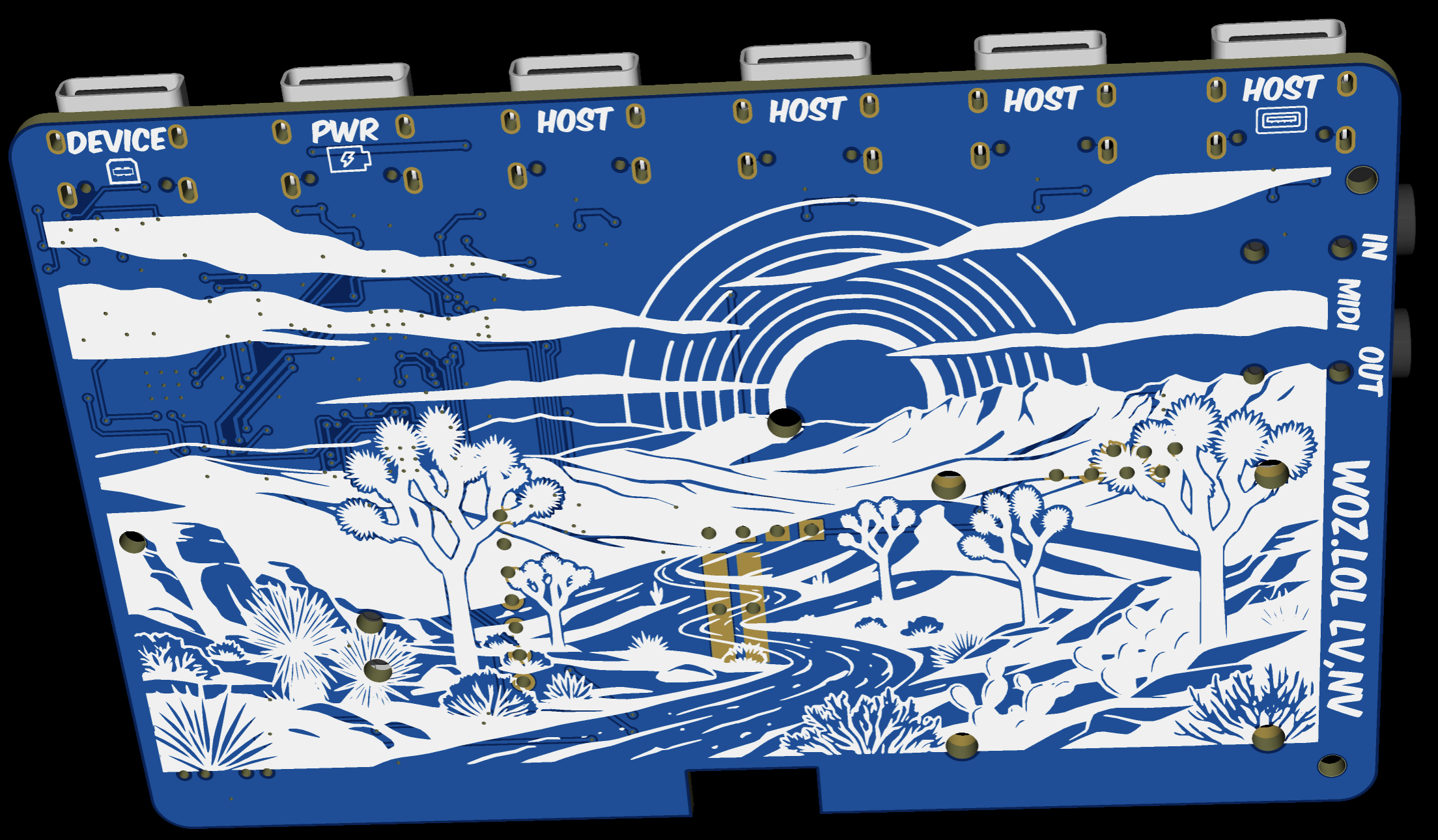
- 6 USB-C PORTS :: 4 host ports so midi controllers can talk without needing a computer! Two device ports appear as midi controllers to a computer/phone, one of which can charge through the other.
- TRS MIDI A in and out ports :: One of two separate processor chips are dedicated to managing the ports, while the main brain handles rest.
- BLE Wireless Bluetooth MIDI host/device.
A breakdown of the settings menus is the best way to explain all the features and how to use this magic fella:
A breakdown of the settings menus is the best way to explain all the features and how to use this magic fella:
Range: 20-300 BPM.
Sets the internal tempo used by the instrument.
While the BPM screen is open, the Eye/Push controls become tap tempo.
If Clock Input is set to Follow/Client, arp and drum timing follow the measured external MIDI clock.
Range: 0-75.
Sets the amount of swing applied to the instrument’s timing.
Quickly routes a chosen input channel to a chosen output channel.
Hold can preserve held notes while the output channel changes.
A CC Button can also point Quick Jump to a MIDI channel live. Pressing the same channel again turns Quick Jump back off without forgetting that output channel.
Live CC Button output changes are performance-only and are not saved to the preset.
Creates note-safe beat repeats from the shared rolling performance history.
Can target Main, any of the four loop tracks, or SELECTD, which follows whichever loop track is currently selected.
The repeat size defaults to 1/8 and can reach 1 BAR. A timeout can also be set in bars.
Stutter-generated repeats are not written into the recorded source loop.
A thin border appears around the display whenever a stutter is actually running.
Adds rhythmic repeats with controls for Wet, Length, Delay division, and signed Drift.
Drift speeds up or slows down successive repeats for a bouncing-object style effect.
Can target Main, any loop track, or SELECTD.
Echo Length and Delay can reach 8 BARS.
Echo-generated repeats are not written into the recorded source loop.
Classic modes include Up, Down, Up-Down 1, Up-Down 2, Trigger, Random, and Off.
Factory patterns include Up 1-Octave, Rhythm, Ostinato, Octave Walk, Fifth, Bass+Chord, and Chord+Run.
Custom patterns can record note timing, gate length, velocity, and pitch offsets from the lowest note played in the take.
Custom lengths are 1/4 bar, 1/2 bar, 1, 2, 4, or 8 bars, with up to 32 note events.
Supports one through four octaves, in-order or as-played note ordering, key-press or clock-synchronized retriggering, and straight, triplet, and dotted divisions through 1/64T.
Arp Division can follow Drum Division live.
Range: 0-200%.
Scales note velocity as a live transformation.
Can target Main or any of the four loop tracks independently.
Range: 1-200%.
Scales note duration as a live transformation.
Can target Main or any of the four loop tracks independently.
Selects the main MIDI input path used by the instrument’s routing and note-processing features.
This is the source path used by features such as the arp, Thru Out, Bass, Quick Jump, and Main-input controller mapping.
Selects the arp’s output path.
Round Robin can take this arp output path and rotate it across multiple selected MIDI channels.
Learns either notes or CCs and uses them to trigger temporary drum divisions.
Generated drum-roll notes are captured by the looper.
Sets the independent division for the drum engine.
Drum Division can follow Arp Division or run independently in Free mode.
Arp and Drum follow settings are protected from creating a circular dependency.
Creates a dedicated lowest-note-priority bass output.
Also supports a highest-note split for separating the bass voice from the rest of the played notes.
Applies Mono Retrig processing to a selected channel.
Uses last-note-priority behavior for a monophonic playing response.
Routes the Main Input note path through to a selected output.
Rotates the arp output across selected MIDI channels.
Can use normal cycling or true-random channel selection.
Includes optional channel-10 remapping for drum-oriented routing.
A sixteen-channel router with an output channel, low-note limit, high-note limit, and transposition setting for each input channel.
Notes inside the selected range are routed through that row’s settings.
Notes outside the selected range continue on their original channel.
The controller-learning hub for continuous CC Knobs and trigger CC Buttons. A trigger can learn either a CC or a Note.
Click a row to open it and begin learning immediately.
Hold the encoder and turn while a row is open to clear that mapping.
Mappings are available for live effects, looper controls, and separate Arp and Drum division controls.
While browsing the Features screen, the display shows the most recently mapped control from the current boot session.
Provides sixteen Main-input CC remap slots.
Each slot can remap incoming controller data to another MIDI channel and CC number.
Provides sixteen Note-to-CC mapping slots.
Mapped notes can behave as momentary or toggle controls.
Controls the outgoing path for incoming controller data from the Main Input.
Use CC Map when you need more specific per-CC channel and controller-number remapping.
Controls the display’s screen-saver behavior.
Central setup for the Eye distance sensor and Push pressure sensor.
These performance controls can participate in actions such as tap tempo and the looper’s master record/play trigger, depending on the screen and selected mode.
Selects the performance action assigned to the Eye distance sensor.
On the BPM screen, the sensor is temporarily used for tap tempo instead of its normal action.
Selects the performance action assigned to the Push pressure sensor.
On the BPM screen, Push is temporarily used for tap tempo instead of its normal action.
Configures the four physical buttons as custom Notes/CCs, looper controls, or chord memories.
Custom button behaviors include Momentary, Latch, and Flappy Bird.
In looper mode, each button owns one track and can step through enabled actions in this order: Select, Arm, Mute, Solo, Delete, Undo.
With the default looper actions, repeated taps on the same button mean arm, delete, then undo.
Two looper buttons held together toggle play/stop. Three or four held together perform the whole-loop clear/undo gesture.
Four tracks share a fixed 3,072-event pool.
Per-track lengths run from 1/4 bar through 8 bars. Track 1 can also establish a Free loop length and make that length the musical bar.
Track modes are Layers, Parts Auto Solo, and Manual.
Supports overdub, replace, Auto Arm, mute, exclusive solo, safe clear, undo, per-track auto quantize, and optional CC recording.
Responds to useful MIDI transport commands including Start, Continue, Stop, Song Select, and supported MMC commands.
Time Travel can turn the immediately preceding performance into a loop.
All four loop tracks and their phase relationship survive reboot. Time Travel and Stutter history remain RAM-only.
Hold the encoder and turn on the Looper or Loop Mix screen to change the working track.
Applies Solo, Mute, Clear, or Arm to the currently selected track.
The screen opens on Arm.
Clear can also undo a track that was cleared and has not been recorded over.
Clicking Solo or Mute again while that same mix mode is already active resets the whole mix, removing all mutes and solos.
Stores per-note CC values on a selected MIDI channel.
This lets individual notes recall their own controller values as part of note processing.
A four-position chord generator.
Chord notes can be defined as chromatic offsets or as scale degrees.
The four physical buttons can also hold four post-processing chord memories.
Sets the key side of the instrument’s key-and-scale correction system.
Works together with Scale to keep incoming notes inside the selected pitch set.
Sets the scale used by key-and-scale correction.
Includes an editable twelve-note User Scale for building a custom pitch set.
Chooses the note-display style used on the key and scale pages.
The interface can present the live notes in a guitar-oriented or keyboard-oriented view.
Lets you select a MIDI CC and send it directly with the encoder.
Useful for testing or manually controlling a destination without setting up an external controller first.
Holds device-wide behavior that is not tied to one musical preset.
Global timing options include 4/4 or 3/4 meter, Clock Input Ignore or Follow/Client, and Clock Output Off or Send/Host.
Looper MIDI Transport response is independent of whether incoming MIDI clock is being followed.
Auto Save is also a device-global storage preference.
Loads one of sixteen preset slots.
Loading a preset writes any still-pending changes for the preset you are leaving before the new preset takes over.
A preset load also performs a silence-only panic so stuck notes do not carry across the change.
Saves the current setup into one of sixteen preset slots.
Main musical settings, mappings, custom arp data, chord memories, and parameter locks are stored per preset.
The four looper tracks are global and are not stored separately inside each preset.
A quick tap on the Panic screen, or holding the encoder switch, performs the emergency reset.
It sends the normal all-notes-off behavior, clears whatever is still live in the loop in an undoable way, and restores mapped Feature Knob values to the values actually saved in the current preset.
It does not restore a track that had already been cleared.
A mapped Feature Button panic and the panic used during preset loading are silence-only.
Stay tuned and subscribe to my socials for ongoing developments!
Specifications and details subject to change without notice. This product is still evolving and it’s still beta time, although the module-based Arp’n’Midi original can be made yourself to help test things.
Status Reports:
Oct 13, 2026 • I’m merging this with Foxwizard slightly. I now have usb into a hub working well from an rp2040 native port instead of using PIO, after some library customizing and optimizing. Mostly trimming fat on USB device support that is not MIDI. The FoxWizard is getting some of these features and a new sidecar board to add usb hosting. Then, that’s going to go back into this project as like a luxury version with the screen and knob. That way we have a low price point accessible usb hosting hub option below this flagship one. But, that fella will be available slightly first now.
Oct 7, 2026 • Distracted with launching the other 3 concurrent products going on right now, with this one I’m testing a branch of it’s firmware on two other hardware variations in secret as I might change the main brain in this one before ordering the updated boards. Main fw is go though if you want to test it on your own slapped-together modules. See the github.
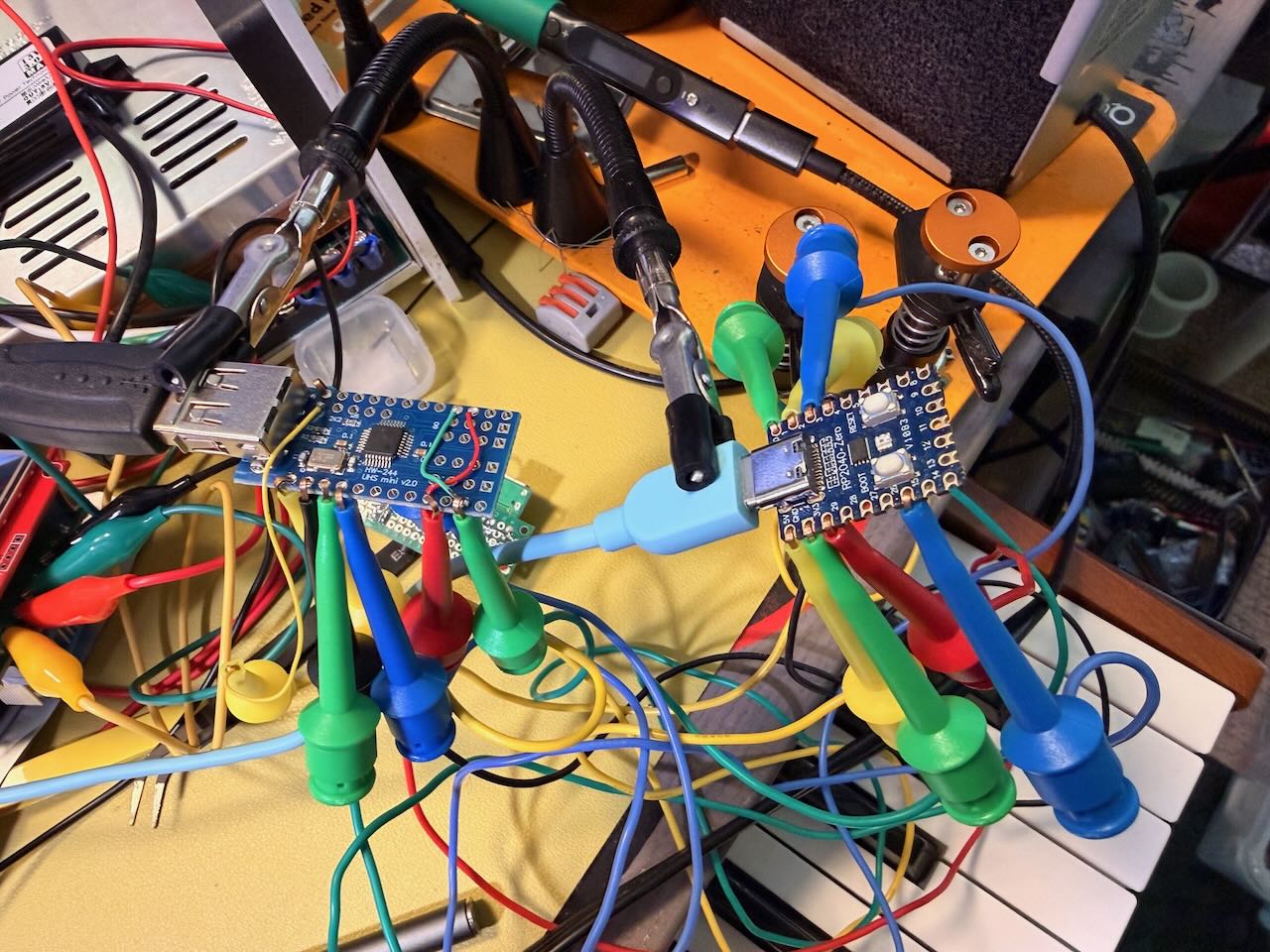
Sept 19, 2026 • Status: more firmware stability and handyness updates. Progress on updated hardware designs. Open code can be applied to your own test clone made with RP2040 Zero modules.
Aug 21, 2026 • I will be allowing a few testers of the Gen 1 board, I can give it the 4 buttons, it just doesn’t have working USB host.
The 4 Track looper, stutter and echo effects are working great no with zero lag and jitter that i can tell. Especially with the drum roll and notes to control roll speed. Separate loop tracks can dump notes into the same master arp for awesome crisp variations instead of a messy pile. Loop tracks can be different lengths and auto record so you can stack parts instantly. Hand and push sensors map to features as do CC button and knob commands. Everything is pretty much there except for the online preset manager, like the Foxwizard has.
July 24, 2026 • Status: Coming Fall 2026. Gen 1 boards work, technically, but with intolerable usb host hub instability. Plus, I want more buttons. Gen 2 PCBs coming Aug. Because of this, I won’t be sharing demo units from the first batch, BUT, you can try a demo unit of one of the other four horsemen of this multi-unit product launch action.
Upcoming Gen 2 adds:
– Different RP2040 pin configuration for USB hosting, which is more reliable with our new custom library.
– A TPS25751D chip to let it charge a phone and show up as a midi device at the same time. The chip I used for this in Rev 1 was not the right fella.
– 5 more buttons. 4 that are multifunction and mappable, but primarily for 4-track looping control. The fifth is just an old-fashioned Back button.
– A dedicated ESP32C3 module just for BLE midi host and device capabilities, including common wireless midi foot controllers.